
5 Simple Window AC Troubleshooting Checks at Home
When a window air conditioner suddenly stops cooling the way it used to, it can feel like the peak of summer just turned unbearable. The good news is that many common issues are not serious faults. In fact, most of them can be diagnosed and fixed at home without calling a technician or spending much money.
This guide walks through five simple but powerful troubleshooting checks that anyone can do at home. These steps are based on real-world experience with window AC units in hot climates, dusty environments, and households where maintenance is often delayed until something goes wrong.
Instead of rushing into repairs or replacement, these checks help you understand what your AC is trying to tell you. Sometimes the solution is as simple as cleaning a filter or adjusting airflow. Other times, it’s about noticing early warning signs before a bigger breakdown happens.
Let’s go step by step.
Understanding how a window AC behaves before troubleshooting
Before jumping into fixes, it helps to understand what a window AC actually does inside its metal box.
A window AC has a few key parts working together:
- A filter that traps dust from indoor air
- Evaporator coils that absorb heat
- A compressor that circulates refrigerant
- A fan that pushes cool air into the room
- A condenser that releases heat outside
When any one of these parts is blocked, dirty, or stressed, cooling performance drops. The machine doesn’t usually “break” suddenly. Instead, it gives warning signs like weak airflow, unusual noise, water dripping, or longer cooling times.
These signs are what the following checks are designed to interpret.
Check 1: Inspect and clean the air filter
One of the most common reasons a window AC stops cooling properly is a dirty air filter. This is especially true in dusty regions, homes near roads, or places where the AC runs daily during hot seasons.
The air filter is responsible for catching dust, lint, and airborne particles before they reach the internal components. Over time, this filter becomes clogged.
What happens when the filter is dirty:
- Airflow becomes weak
- Cooling feels uneven
- AC runs longer but cools less
- Electricity consumption increases
How to check it at home:
Open the front panel of the window AC and carefully remove the filter. Hold it up to the light. If you can’t see light passing through easily, it’s dirty.
How to clean it:
- Wash it with lukewarm water
- Use mild soap if needed
- Let it dry completely before reinstalling
A clean filter alone can restore cooling efficiency in many cases. It’s one of the simplest but most ignored maintenance steps.
How often should you check it:
In dusty environments, every 2–3 weeks during heavy use is ideal. At minimum, once a month.
A surprising fact is that many “gas leak” complaints in ACs are actually just blocked filters reducing airflow and giving the illusion of poor cooling.
Check 2: Examine airflow from the front vents
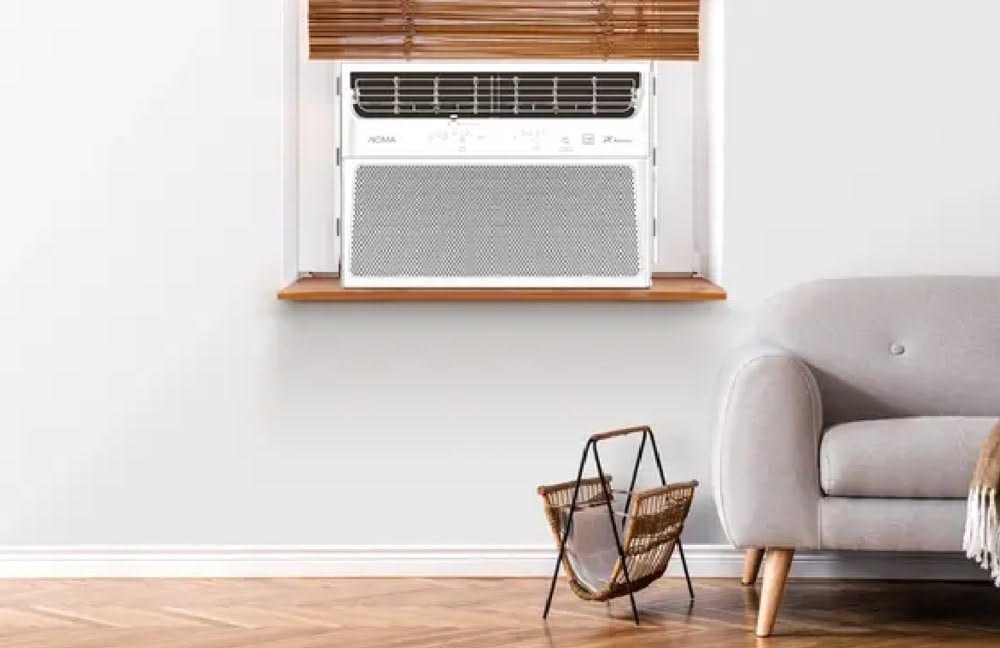
If your AC is running but the air coming out feels weak or inconsistent, airflow obstruction might be the issue.
Good airflow is essential for proper cooling. Even if the compressor is working fine, poor airflow makes the room feel warm.
Things to check:
- Are curtains blocking the AC front?
- Is furniture too close to the unit?
- Are the vents closed or partially stuck?
- Is dust buildup visible on the louvers?
Sometimes the problem is not inside the AC but in how the room is arranged. Window AC units need space to “breathe.”
A simple test:
Place your hand near the vent. The airflow should feel steady and strong. If it feels weak even at the highest fan setting, something is restricting movement inside or outside the unit.
Another overlooked issue is ice formation on the cooling coils. If airflow is too low, coils get too cold and freeze, which further blocks air. This creates a cycle of weak cooling.
If you suspect this, turn off the AC for a few hours and let it defrost. Then restart it after cleaning the filter.
Good airflow equals better cooling and lower electricity bills. It’s that simple.
Check 3: Look for unusual noise or vibration
Window AC units are supposed to make a steady, low humming sound. When that sound changes, it usually means something inside is not working smoothly.
Common noises and what they may indicate:
Rattling sound:
Often caused by loose screws, an unbalanced fan, or the unit not being fixed tightly in the window frame.
Buzzing sound:
Could be electrical issues, relay problems, or compressor strain.
Grinding or harsh mechanical noise:
This may indicate motor bearing wear or debris stuck in the fan area.
Clicking sounds:
Normal during startup, but repeated clicking may indicate thermostat or relay issues.
What you can do at home:
- Check if the AC is firmly installed in the window frame
- Tighten visible screws carefully
- Clean visible dust around the fan area
- Ensure no external object is hitting the outer unit
Vibration is also a hidden efficiency killer. If the AC vibrates too much, it reduces cooling efficiency and can loosen internal parts over time.
A stable installation is often the difference between a smooth-running AC and one that constantly develops issues.
Check 4: Inspect water drainage and leakage signs
A window AC naturally produces water as part of the cooling process. This water should either drip outside or be properly drained depending on the model.
If you notice water dripping inside the room, or unusual moisture around the unit, it may signal a drainage problem.
Possible causes:
- Blocked drain hole
- Dust clogging inside the tray
- Improper tilt of the AC unit
- Excess humidity in the room
How to check:
Look under and behind the AC. If water is collecting instead of draining outside, there is likely a blockage.
Simple fix steps:
- Turn off the AC
- Locate the drainage hole (usually at the back)
- Clean gently using a soft wire or pipe cleaner
- Ensure the AC is slightly tilted outward so water flows outside
Why this matters:
Water buildup can damage internal parts, increase humidity in the room, and even lead to bad smell from the unit.
If ignored for long, it can also cause rusting inside the AC body.
A properly draining AC runs cleaner, cooler, and more efficiently.
Check 5: Evaluate cooling performance settings and usage habits
Sometimes the AC is not faulty at all. The issue lies in how it is being used.
A window AC can struggle to cool a room if settings or usage patterns are not optimized.
Things to check:
Temperature setting:
Setting the AC too high (like 26–28°C in extreme heat) may not feel cooling enough. On the other hand, setting it too low constantly can overwork the compressor.
Fan speed:
Low fan speed may feel weak in very hot conditions. Try adjusting between medium and high.
Room sealing:
If doors or windows are open, cool air escapes quickly. Even small gaps reduce efficiency significantly.
Heat sources:
Electronic devices, direct sunlight, and cooking appliances increase room temperature.
Usage timing:
Turning the AC on and off frequently can reduce cooling consistency. It takes time to stabilize temperature.
A useful habit:
Instead of constantly lowering the temperature, improve room insulation first. Close curtains during peak sunlight hours and reduce heat sources inside the room.
This simple behavioral adjustment often improves cooling more than technical fixes.
Putting it all together
Most window AC problems don’t start as major failures. They begin with small, manageable issues like dust buildup, airflow blockage, or minor drainage problems.
By checking these five areas regularly:
- Air filter condition
- Airflow strength
- Noise and vibration
- Drainage system
- Usage habits and settings
You can prevent most cooling problems before they become expensive repairs.
Think of it like routine health care for your AC. Small checks done consistently keep the system running efficiently for years.
Instead of reacting to breakdowns, these habits help you stay ahead of them.
FAQs
- How often should I clean my window AC filter?
In dusty environments, every 2–3 weeks is ideal. Otherwise, once a month is usually enough. - Why is my AC running but not cooling the room?
Common reasons include dirty filters, blocked airflow, low refrigerant, or poor room insulation. - Can a window AC work efficiently without regular maintenance?
It will work, but efficiency drops significantly, and electricity consumption increases over time. - Why is water leaking inside my room from the AC?
This is usually due to a blocked drain hole or incorrect installation angle. - What causes weak airflow in a window AC?
Dirty filters, blocked vents, fan issues, or ice buildup on coils are the most common reasons. - When should I call a technician instead of fixing it myself?
If the AC makes loud mechanical noises, fails to cool after cleaning, or shows electrical issues, professional help is recommended.