12 Window AC Cleaning Tips That Save You Money
There was a time when I believed a window air conditioner was one of those appliances you install, switch on, and forget about—until it starts making strange noises or refuses to cool. That assumption cost me more money than I’d like to admit. Higher electricity bills, weak airflow, frequent repairs, and eventually, a premature replacement. It all traced back to one simple thing: neglecting proper cleaning.
What I’ve learned over the years is that a clean window AC doesn’t just perform better—it actively saves you money. Not in small, barely noticeable ways, but in meaningful, measurable ones. Lower energy consumption, fewer breakdowns, and longer lifespan all add up. The trick isn’t just cleaning—it’s cleaning smart.
Below are twelve practical, experience-driven cleaning tips that go beyond the obvious and actually make a difference.
understanding why cleaning equals savings
Before diving into the tips, it’s worth understanding why cleaning matters financially. A dirty AC unit struggles to push air through clogged filters and dusty coils. That strain forces the compressor to work harder, drawing more electricity. Over time, that extra effort leads to wear and tear.
In simple terms: dirt equals resistance, resistance equals effort, and effort equals higher cost.
clean the air filter more often than you think
Most people clean their AC filter once a season. That’s not enough, especially if you live in a dusty environment or use the unit daily.
A clogged filter restricts airflow, which forces the system to run longer to achieve the same cooling effect. This directly increases your electricity bill.
A better approach:
Check the filter every two weeks during heavy use. If it looks gray instead of white, it’s time to clean it.
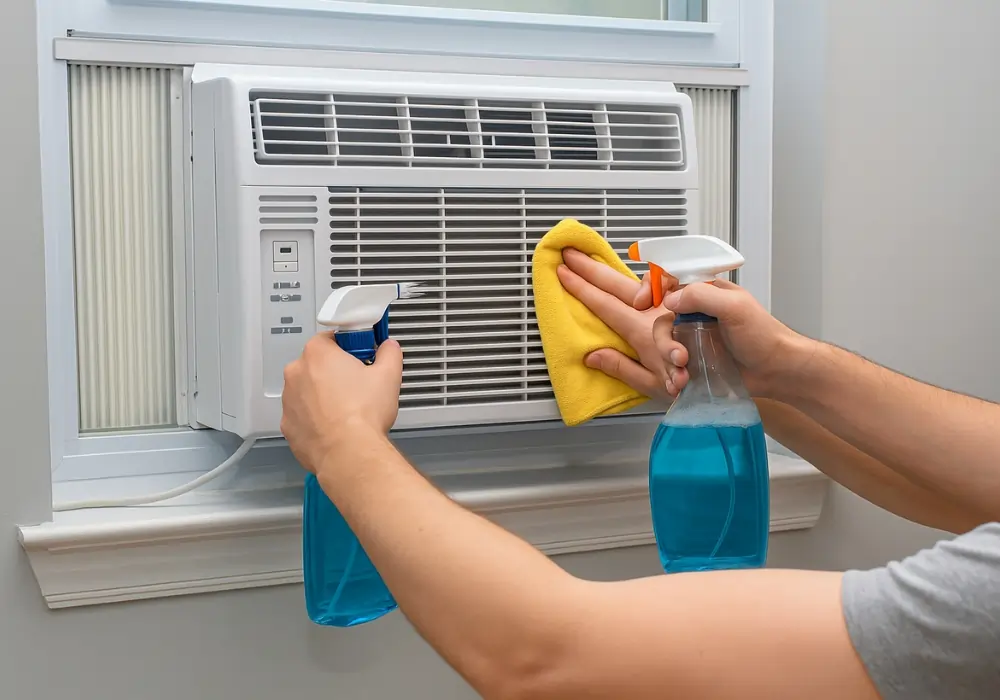
Wash it with mild soap and water, let it dry completely, and reinstall it. This simple habit alone can reduce energy usage significantly.
don’t ignore the evaporator coils
The evaporator coil is where the cooling magic happens, but it’s also a magnet for dust and grime. When coated with dirt, it can’t absorb heat efficiently.
What this means for you:
Your room takes longer to cool, and your AC keeps running longer than necessary.
Cleaning tip:
Use a soft brush or a coil cleaner spray. Be gentle—these fins are delicate. Cleaning the evaporator coil once every couple of months can restore efficiency almost immediately.
keep the condenser side clean too
Many people clean the front of the AC but ignore the back—the part that sticks out of the window. That’s a mistake.
The condenser releases heat outside. If it’s covered in dust, leaves, or debris, it traps heat instead of releasing it.
Result:
The unit overheats and consumes more power.
Make it a habit to:
Check the outdoor portion regularly. Remove leaves, wipe off dirt, and ensure there’s enough space for airflow.
straighten bent fins carefully
This is one of those overlooked details that can quietly cost you money. The aluminum fins on your AC unit can bend easily, especially during cleaning or transport.
Bent fins block airflow.
Even partial blockage can reduce efficiency.
Solution:
Use a fin comb or a soft tool to gently straighten them. It’s a small fix, but it improves airflow and reduces strain on the system.
clean the drain channel and prevent clogs
Water dripping from your AC is normal—but only if it’s draining properly. When the drain channel is clogged, moisture builds up inside the unit.
This can lead to:
Mold growth, bad odor, and even internal damage.
More importantly, excess moisture reduces efficiency and can cause the system to work harder.
Flush the drain channel occasionally with a mixture of water and mild cleaner. Keeping it clear ensures smooth operation.
wipe down the fan blades
Inside the unit, the fan plays a crucial role in circulating air. Over time, dust accumulates on the blades.
Dirty fan blades:
Reduce airflow and create imbalance, leading to noise and inefficiency.
Cleaning method:
Carefully access the fan and wipe it with a damp cloth. This improves air movement and reduces unnecessary strain.
use the right cleaning products
Not all cleaning solutions are suitable for AC units. Harsh chemicals can damage components and reduce lifespan.
Stick to:
Mild soap, water, and AC-specific cleaners.
Avoid:
Strong acids or abrasive materials.
Using the right products ensures you’re not unintentionally creating new problems while trying to solve old ones.
don’t skip seasonal deep cleaning
Quick cleanups are helpful, but they don’t replace a proper deep clean. At least once a year—preferably before peak summer—give your AC a thorough cleaning.
This includes:
Removing the unit (if possible), cleaning internal parts, checking for wear, and ensuring everything is functioning smoothly.
Think of it as preventive maintenance. It costs a little time but saves a lot of money in repairs.
seal gaps around the unit
This isn’t strictly cleaning, but it’s closely related to efficiency. If there are gaps around your window AC, cool air escapes while warm air enters.
Your AC ends up working twice as hard.
After cleaning and reinstalling:
Check for gaps and seal them with foam or weather stripping.
This small step keeps the cooled air inside, reducing runtime and energy consumption.
clean the thermostat sensor
The thermostat sensor tells your AC when to turn on and off. If it’s covered in dust, it may give inaccurate readings.
That leads to:
Overcooling or undercooling, both of which waste energy.
Gently clean the sensor with a soft brush or cloth. Accurate readings mean your AC runs only when needed.
keep the surrounding area dust-free
Even if your AC is spotless, a dusty room will quickly undo your efforts. Dust gets pulled into the unit continuously.
Simple habit:
Regularly clean the room, especially areas near the AC.
Less dust in the air means less dust in your AC—and fewer cleanings needed overall.
know when to call a professional
Some issues go beyond DIY cleaning. If your AC still struggles after cleaning, there might be deeper problems like refrigerant issues or electrical faults.
Ignoring these can lead to:
Higher bills and eventual breakdown.
A professional check once a year can catch problems early and save money in the long run.
build a cleaning routine that sticks
The biggest mistake isn’t failing to clean—it’s being inconsistent. Cleaning once and forgetting about it won’t help much.
Create a simple routine:
Filter every two weeks
Coils every 1–2 months
Full check before summer
Consistency turns small efforts into big savings.
the hidden cost of neglect
What surprised me most wasn’t how much cleaning improved performance—it was how much neglect was costing me.
An unclean AC doesn’t just use more electricity. It wears out faster, breaks down more often, and delivers poor comfort. You end up paying more for less.
On the other hand, a well-maintained unit runs quietly, cools quickly, and lasts longer. It’s one of those rare situations where a little effort consistently pays off.
final thoughts
Cleaning a window AC isn’t complicated, but it does require attention and consistency. Each of these tips may seem small on its own, but together, they create a noticeable difference.
Lower bills, fewer repairs, and better cooling aren’t just nice benefits—they’re the direct result of taking care of your appliance.
If there’s one thing I’ve learned, it’s this: the money you save isn’t just from what you fix, but from what you prevent.
Frequently Asked Questions
- How often should I clean my window AC filter?
Ideally, every two weeks during heavy use. If you live in a dusty area, you may need to clean it even more frequently. - Can I use a vacuum to clean my AC?
Yes, a vacuum with a soft brush attachment works well for removing loose dust from filters and coils. Just be gentle to avoid damage. - Is professional servicing necessary if I clean my AC regularly?
Regular cleaning helps a lot, but a professional check once a year can identify issues you might miss, saving money in the long run. - What happens if I don’t clean the coils?
Dirty coils reduce cooling efficiency, forcing the AC to work harder, which increases energy consumption and wear. - Can cleaning really reduce electricity bills?
Yes, a clean AC runs more efficiently, meaning it uses less power to achieve the same cooling effect. - How do I know if my AC needs cleaning?
Signs include weak airflow, unusual noise, bad odor, and higher electricity bills. If you notice any of these, it’s time to clean your unit.