7 Quick Window AC Troubleshooting Tips That Actually Work
Window air conditioners are a lifesaver in hot weather, especially in places where summers feel endless and electric bills can quickly rise. But like any machine, they don’t always work perfectly. Sometimes they stop cooling properly, start making strange noises, leak water, or simply refuse to turn on.
The good news is that most window AC problems are not serious. In fact, many of them can be fixed without calling a technician. With a bit of observation and simple troubleshooting, you can often get your unit running smoothly again in minutes or hours instead of waiting days for repair help.
This article walks through seven quick and practical troubleshooting tips that actually work. Each one is based on real-world issues people commonly face with window AC units, along with clear steps you can follow at home.
Understanding how your window AC behaves
Before jumping into fixes, it helps to understand what your window AC is doing when it runs normally. A window AC pulls warm air from the room, cools it using refrigerant coils, and blows the cooled air back inside while pushing heat outside.
When something goes wrong, it usually affects one of these three things:
- Airflow (blocked or weak circulation)
- Cooling cycle (dirty coils or low refrigerant)
- Electrical or control system (settings, wiring, or power supply)
Most troubleshooting involves checking these areas step by step.
Tip 1: Check power supply and basic electrical issues first
One of the most common reasons a window AC stops working is also the simplest: no proper power supply.
Start with the basics:
- Make sure the plug is firmly inserted into the socket
- Check if the switchboard is working
- Look for tripped circuit breakers in your home’s electrical panel
- If you use a voltage stabilizer, confirm it is turned on and functioning
Sometimes the AC looks “dead” when in reality, the issue is just a loose plug or tripped breaker.
Another thing to watch is voltage fluctuation. In many homes, especially during peak summer hours, voltage can drop. Window AC units often refuse to start when voltage is too low. If you notice dim lights or other appliances struggling, this could be the reason.
A quick reset also helps:
- Turn off the AC
- Unplug it for 5–10 minutes
- Plug it back in and restart
This simple reset clears minor electrical glitches in many cases.
Tip 2: Inspect and clean the air filter
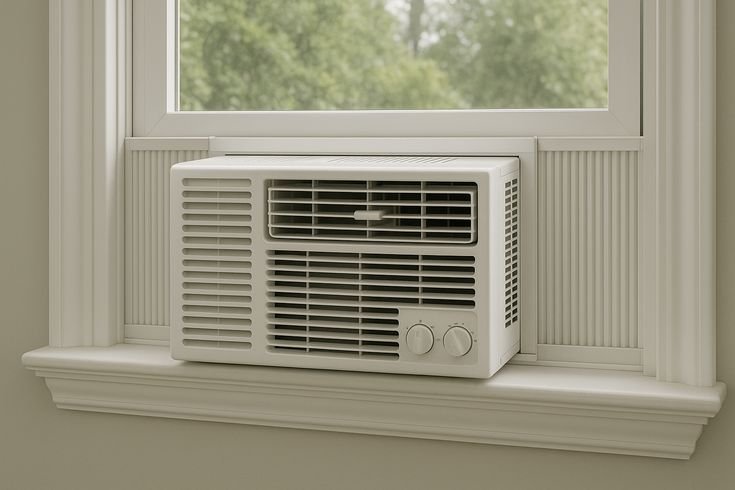
A clogged air filter is one of the most overlooked causes of poor cooling.
When dust builds up on the filter:
- Airflow becomes weak
- Cooling performance drops
- The AC works harder and consumes more electricity
- The evaporator coil may freeze
To fix it:
- Turn off and unplug the AC
- Remove the front panel
- Take out the air filter
- Wash it with mild soap and water
- Let it dry completely before reinstalling
If the filter is damaged or too old, replacing it is better than cleaning.
Cleaning frequency depends on usage and environment, but in dusty areas, it may need cleaning every 2–3 weeks during heavy use.
A clean filter alone can noticeably improve cooling within minutes of restarting the unit.
Tip 3: Check thermostat settings and remote control issues
Sometimes the AC is actually working fine, but the settings are wrong.
Start by checking:
- Temperature setting (is it set too high?)
- Mode (cool, fan, or dry mode confusion)
- Fan speed settings
- Timer settings that may turn the AC off unexpectedly
Set the temperature between 24°C and 26°C for efficient cooling.
If you’re using a remote:
- Replace batteries if response is slow or inconsistent
- Make sure nothing is blocking the sensor
- Try using manual controls on the unit itself
A surprising number of “AC not cooling” complaints are actually just incorrect settings or weak remote batteries.
Tip 4: Look for blocked airflow or dirty coils
Airflow blockages inside or outside the unit can severely reduce performance.
Check the following:
- Front vents are not blocked by curtains or furniture
- Rear side (outside part) has enough open space for heat release
- No dust buildup on condenser coils
If the coils are dirty:
- Turn off power completely
- Remove outer cover carefully
- Use a soft brush or vacuum cleaner to remove dust
- Avoid bending the aluminum fins
Dirty coils force the AC to run longer while producing less cooling. In extreme cases, the unit may run continuously without properly cooling the room.
Also check for ice buildup. If you see ice forming on the coils:
- Turn off the AC immediately
- Run fan mode only for a few hours
- Clean filter and improve airflow
Ice usually forms due to poor airflow or low refrigerant conditions.
Tip 5: Listen for unusual noises and identify their source
Window AC units are not silent, but sudden new sounds often indicate a problem.
Here’s what different noises may mean:
- Buzzing sound: electrical issue or loose wiring
- Rattling sound: loose screws or fan parts
- Humming but no cooling: compressor issue
- Whistling: air leakage or improper installation
If you hear rattling:
- Turn off the unit
- Tighten visible screws on the frame
- Check if the AC is securely mounted in the window
If the noise continues after tightening, internal fan issues may need professional attention.
Never ignore new loud noises, especially if they appear suddenly. Early detection prevents bigger damage.
Tip 6: Check for water leakage and drainage blockages
Water dripping inside the room or excessive leakage from the AC is a common issue, especially in humid conditions.
Possible causes include:
- Blocked drain pipe
- Improper tilt or installation angle
- Ice melting from frozen coils
- High humidity levels
To fix it:
- Check the drainage hole at the back
- Clean any dust or blockage
- Ensure the AC is slightly tilted outward so water drains outside
- Inspect for ice buildup if leakage is sudden
A properly installed window AC should always drain water outside, not inside the room.
If leakage continues even after cleaning, internal drainage system inspection may be needed.
Tip 7: Reset the AC and observe performance patterns
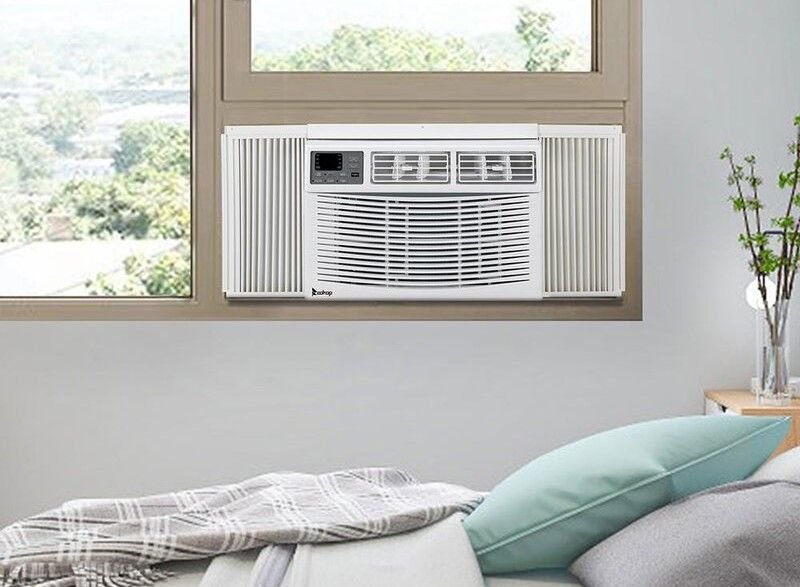
If nothing seems wrong but the AC is still not working properly, a full reset can help.
Steps:
- Turn off the AC
- Unplug it from the socket
- Wait at least 10–15 minutes
- Plug it back in and restart with default settings
After resetting, observe:
- Cooling speed
- Noise levels
- Compressor behavior
- Airflow strength
Sometimes electronic control boards can glitch due to power fluctuations. A reset clears temporary errors and restores normal function.
If problems return quickly after reset, it may indicate deeper issues like refrigerant leakage or compressor wear.
When to call a technician
While many issues can be fixed at home, some require professional repair. You should call a technician if:
- AC is running but not cooling at all after cleaning
- Compressor is not starting
- Burning smell is present
- Refrigerant leakage is suspected
- Electrical tripping continues
Trying to fix internal gas or compressor issues without experience can make the problem worse.
Preventive maintenance tips for long-term performance
To avoid frequent troubleshooting, regular maintenance is key:
- Clean filters regularly
- Keep outdoor vents clear
- Avoid overloading electrical circuits
- Service the AC before summer starts
- Run the fan mode occasionally even in off-season
Small habits like these can significantly extend the life of your window AC and improve cooling efficiency.
Conclusion
Most window AC problems may seem serious at first, but many of them have simple causes like dirty filters, incorrect settings, or minor airflow blockages. By following these seven troubleshooting tips, you can solve a large number of issues quickly without needing technical help.
Understanding your AC and maintaining it regularly not only improves cooling but also reduces electricity costs and prevents sudden breakdowns during peak summer heat.
Frequently Asked Questions (FAQs)
- Why is my window AC running but not cooling the room?
This usually happens due to dirty filters, blocked coils, incorrect temperature settings, or low refrigerant levels. Start by cleaning the filter and checking airflow. - How often should I clean my window AC filter?
In dusty environments, every 2–3 weeks during heavy use is ideal. In cleaner environments, once a month may be enough. - Why does my AC freeze up with ice on the coils?
Ice buildup usually occurs due to restricted airflow or dirty filters. Turn off the unit and let it thaw before cleaning and restarting. - Can low voltage affect window AC performance?
Yes, low voltage can prevent the compressor from starting or reduce cooling efficiency significantly. - Why is my window AC leaking water inside the room?
This is often due to a blocked drainage pipe, improper installation angle, or ice melting from the coils. - When should I stop troubleshooting and call a technician?
If the AC has compressor issues, refrigerant leakage, persistent electrical problems, or continues not cooling after basic cleaning, professional help is needed.