
6 Essential Window AC Cleaning Tips for Summer
There’s something quietly satisfying about switching on a window AC on a blazing summer afternoon and feeling that first wave of cool air hit your face. It’s almost instant relief, like stepping into shade after walking under a harsh sun. But what many people don’t realize is that this comfort depends heavily on something simple and often ignored: cleanliness.
A window AC unit doesn’t just cool air; it breathes. It pulls in warm air, processes it, and pushes it back into your room. Along the way, dust, moisture, and debris build up inside the unit. If left unchecked, this buildup reduces efficiency, increases electricity bills, and can even affect your health.
Over the years, I’ve learned that keeping a window AC clean isn’t about perfection. It’s about consistency and knowing where to focus your effort. The six tips below aren’t just instructions—they’re lessons shaped by trial, error, and a few very sweaty summers.
- start with the filter, always
If you do nothing else, clean the filter. This single step can make the biggest difference.
The filter is like the gatekeeper of your AC. Every bit of air that enters your unit passes through it. Over time, it traps dust, lint, pollen, and sometimes even tiny insects. When it gets clogged, airflow drops, and your AC has to work harder to cool the room.
I remember a time when my AC was running all day but barely cooling. I assumed something serious was wrong. Turned out, the filter was so packed with dust that air could barely pass through. A five-minute cleaning job brought the cooling back to life.
Here’s how to handle it:
Turn off and unplug the unit before doing anything. Open the front panel and gently remove the filter. Most filters slide out easily. If it looks gray instead of its original color, it’s overdue for cleaning.
Rinse it under lukewarm water. Don’t use high pressure—it can damage the mesh. If it’s greasy or heavily soiled, use a mild detergent. Let it dry completely before putting it back. A damp filter can lead to mold growth, which is the last thing you want circulating in your room.
During peak summer, aim to clean the filter every two weeks. If you live in a dusty area, you might need to do it even more often.
- don’t ignore the coils
Behind the filter lies another important component: the coils. These are responsible for the actual cooling process. There are two types—evaporator coils inside the room and condenser coils on the outside.
Dirty coils reduce the unit’s ability to absorb and release heat. That means less cooling and more energy consumption.
The tricky part is that coils don’t always look dirty at first glance. The dust layer can be thin but still effective at blocking heat transfer.
A soft brush or a vacuum cleaner with a brush attachment works well here. Gently remove dust without bending the delicate fins. If the dirt is stubborn, you can use a coil cleaner spray available in most hardware stores.
Once, I skipped coil cleaning for an entire season. By the time I checked, the unit had lost a noticeable amount of cooling power. After cleaning, the improvement wasn’t just visible—it was something you could feel within minutes.
Make it a habit to check coils at least once at the start of summer and again midway through the season.
- clean the front grille and vents
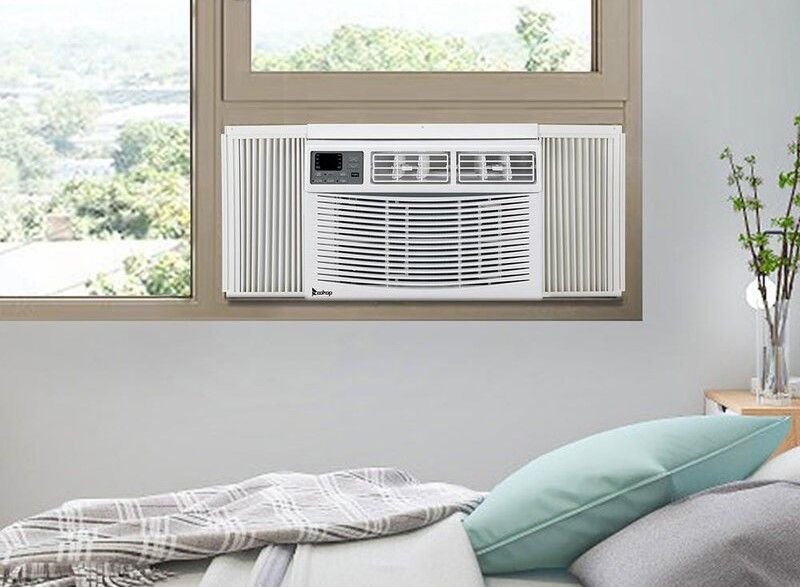
It’s easy to overlook the visible parts of the AC because they seem less important. But the front grille and vents play a role in distributing air evenly.
Dust buildup here can block airflow and even get blown back into the room. It’s not uncommon to see black streaks or patches forming around vents over time.
Use a damp cloth to wipe the surface. For deeper cleaning, remove the grille if possible and wash it with mild soap and water. Dry it thoroughly before reinstalling.
I once noticed a faint dusty smell every time I turned on the AC. The filter was clean, so I was puzzled. The culprit turned out to be the vents, which had accumulated a layer of fine dust. A simple wipe-down solved the problem instantly.
This step doesn’t take long but adds to the overall efficiency and hygiene of your unit.
- check and clear the drainage system
An AC doesn’t just cool air—it also removes humidity. The moisture collected during this process needs somewhere to go, and that’s where the drainage system comes in.
If the drain gets clogged, water can back up into the unit or even leak into your room. In humid conditions, this can also lead to mold growth.
Locate the drain hole or pipe, usually at the back or bottom of the unit. Make sure it’s not blocked by dirt or debris. A thin wire or a gentle stream of water can help clear minor clogs.
There was a summer when my AC started dripping water inside the room. At first, I thought it was a serious fault. It turned out to be a clogged drain. A quick cleaning fixed it, saving me from an unnecessary repair bill.
Regularly checking the drainage system can prevent these surprises. It’s a small step that can save a lot of hassle later.
- pay attention to the outer unit
The part of your window AC that sticks outside is just as important as what’s inside. This section houses the condenser coils and is exposed to dust, rain, leaves, and sometimes even bird droppings.
When airflow around the outer unit is restricted, heat cannot dissipate properly. This reduces cooling efficiency and puts extra strain on the system.
Make sure there’s enough space around the unit. Remove any debris that may have accumulated. If possible, gently rinse the exterior with water to wash away dust.
Be careful not to spray water directly into electrical components. A light rinse is enough.
I once noticed that my AC struggled during peak afternoon heat but worked fine in the evening. The issue turned out to be a pile of debris blocking airflow around the outer unit. Clearing the area improved performance immediately.
This part of cleaning is often skipped because it’s less accessible, but it’s crucial for maintaining overall efficiency.
- tighten, inspect, and listen
Cleaning isn’t just about removing dirt—it’s also about paying attention to how your AC behaves.
While you’re cleaning, take a moment to inspect the unit. Check for loose screws, unusual vibrations, or strange noises. These can be early signs of wear and tear.
A rattling sound might mean something is loose. A buzzing noise could indicate an electrical issue. Catching these signs early can prevent bigger problems.
There was a time when I ignored a faint rattling noise for weeks. Eventually, it turned into a louder problem that required professional repair. If I had checked earlier, it would have been a simple fix.
Listening to your AC might sound odd, but it’s one of the easiest ways to understand its condition.
bringing it all together
Cleaning a window AC isn’t about doing everything at once. It’s about building a routine. Start with the filter, move to the coils, wipe the vents, check the drain, clear the outer unit, and finish with a quick inspection.
Each step complements the others. Together, they ensure that your AC runs efficiently, lasts longer, and provides consistent cooling throughout the summer.
Think of it like maintaining a vehicle. Regular care keeps everything running smoothly and prevents unexpected breakdowns.
the hidden benefits of regular cleaning
Beyond cooling performance, there are other benefits that often go unnoticed.
First, energy efficiency improves. A clean AC doesn’t have to work as hard, which means lower electricity bills. Over an entire summer, this can make a noticeable difference.
Second, air quality gets better. A dirty AC can circulate dust and allergens, affecting people with allergies or respiratory issues. Cleaning helps keep the air fresh and breathable.
Third, the lifespan of the unit increases. Dirt and debris can cause wear on internal components. Keeping things clean reduces strain and extends the life of the AC.
Finally, there’s peace of mind. Knowing that your AC is in good condition allows you to enjoy the comfort it provides without worrying about sudden failures.
a simple routine you can follow
If you’re unsure where to start, here’s a practical routine:
Every two weeks: clean the filter
Once a month: wipe vents and check drainage
At the start and middle of summer: clean coils and inspect the outer unit
Anytime you notice unusual behavior: inspect and listen
This routine doesn’t require special skills or tools. It’s manageable and effective.
common mistakes to avoid
One of the biggest mistakes is neglecting cleaning until the AC stops working properly. By then, the problem is often bigger than it needs to be.
Another mistake is using excessive force while cleaning. Delicate components like fins and filters can get damaged easily.
Some people also forget to unplug the unit before cleaning, which can be dangerous.
Lastly, skipping drying steps can lead to moisture buildup and mold growth.
Avoiding these mistakes makes the cleaning process safer and more effective.
final thoughts
A window AC is one of those appliances that quietly does its job in the background. It doesn’t demand much attention—until something goes wrong. By then, the discomfort can be immediate and frustrating.
Regular cleaning changes that experience. It keeps your AC reliable, efficient, and ready to handle the heat.
These six tips aren’t complicated, but they make a real difference. Over time, they become habits, and those habits turn into a smoother, cooler summer.
faq section
- how often should i clean my window ac filter
You should clean the filter every two weeks during heavy use in summer. If your environment is dusty, consider cleaning it weekly. - can i use a vacuum cleaner to clean the filter
Yes, you can use a vacuum for light dust removal. However, washing with water is more effective for deep cleaning. - what happens if i don’t clean the coils
Dirty coils reduce cooling efficiency, increase energy consumption, and can eventually lead to system failure. - why is my window ac leaking water inside
This is usually due to a clogged drainage system. Cleaning the drain hole or pipe often resolves the issue. - is it safe to clean the outer unit with water
Yes, but use a gentle flow and avoid spraying directly into electrical components. Always ensure the unit is turned off. - when should i call a professional instead of cleaning myself
If you notice persistent issues like strange noises, weak cooling after cleaning, or electrical problems, it’s best to consult a professional technician.