Meta Description: Window AC cleaning & maintenance guide steps to fix error issues, help your unit live longer & keep home cool — all without breaking a bank on repairs.
How to Fix Error Problems in Window AC: Cleaning & Maintenance Guide — 6 Steps
If your window AC is making weird noises, displaying error codes, or simply not cooling as well as it used to — you’re not alone. Most of these issues stem from a singular, simple source: neglect. Dust, dirt, and grime accumulate over time and silently damage your unit from the inside out.
The good news? You shouldn’t have to call a technician for many of these problems. A good window AC cleaning & maintenance guide will lead you through every step of resolving common error issues and keeping your unit running at maximum capacity.
This article details 6 important action steps — clear, simple, and beginner-friendly — that will allow you to tackle AC issues like a pro.
The Importance of Regular Maintenance for Window AC Units
Let’s be real. Most individuals don’t think about their AC until there’s a problem. But at that point, the damage has been done.
Here’s what skipping maintenance actually costs you:
| Problem | Result |
|---|---|
| Clogged air filter | Less airflow, higher energy cost |
| Dirty condenser coils | Low cooling capacity or overheating |
| Blocked drain line | Water leakage and mildew |
| Dust on fan blades | Noise and motor damage |
| Low refrigerant | No cooling, error codes |
| Corroded contacts | Circuit damage or equipment shutdown |
Studies from the U.S. Department of Energy show that a clogged air filter alone can boost energy use by 5% to 15%. That’s money flying out of your wallet each month.
Keeping up with maintenance also clears out the most common error codes on newer window AC units — E1, E2, F1, and so forth — which are nearly always caused by dirty or blocked parts.
What Tools You Need Before Getting Started
Don’t skip this part. Having the proper tools ready saves time and avoids damage.
- Soft brush or old toothbrush
- Fin comb (for straightening bent coil fins)
- Coil cleaner spray or mild dish soap
- Warm water
- Spray bottle
- Screwdriver (flathead and Phillips)
- Vacuum cleaner with brush attachment
- Clean dry rags or microfiber towels
- Rubber gloves
- Nose mask (optional but recommended)
Before doing anything, always unplug your window AC unit. No exceptions. Safety comes first, always.
Step 1 — Properly Remove and Clean the Air Filter
Your air filter is your AC’s first line of defense. It captures dust, pet hair, pollen, and other debris before they get inside the unit. When it becomes clogged, airflow decreases — and your AC has to work twice as hard for half the output.
How to Remove the Filter
Most window ACs have a front panel that snaps off or slides open. Once open, the filter pulls directly out. It is typically a gray or white mesh panel.
What to Look For
Hold the filter up to a light source. If you can hardly see light passing through it, then it is due for a cleaning. If the mesh looks gray, furry, or clumped, it’s definitely plugged.
Step-by-Step: Cleaning the Filter
- Gently tap the filter over a trash can to remove loose dust.
- Flush it under lukewarm running water.
- Combine a few drops of dish soap into warm water and gently scrub with a soft brush.
- Rinse again until the water runs totally clear.
- Shake off the excess water, then let it air dry thoroughly — at least 30 minutes.
- Never place a wet filter back in your unit.
How Often Should You Do This?
| Usage Level | Cleaning Frequency |
|---|---|
| Light use (a few hours/day) | Every 4–6 weeks |
| Moderate use (8+ hours/day) | Every 2–3 weeks |
| Heavy use or with pets | Every 1–2 weeks |
A clean filter helps prevent error codes related to overheating due to limited airflow. When your unit displays an E1 or “Hi Temp” error, a clogged filter is usually the first thing to check.
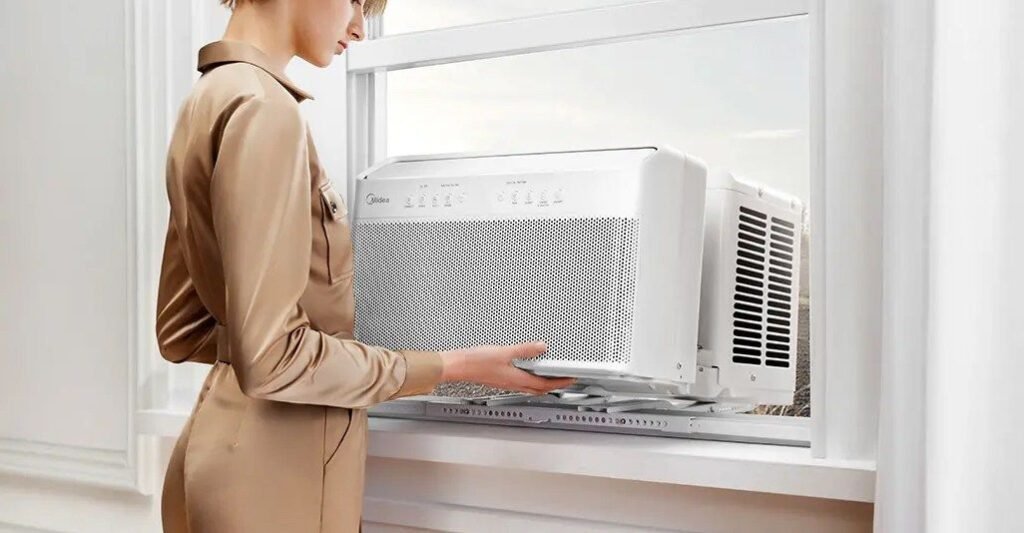
Step 2 — Clean the Evaporator and Condenser Coils Deeply
The actual cooling magic takes place in the coils. The evaporator coil is on the inside (the part that cools your room), and the condenser coil is on the outside (the one that releases heat).
Both get dirty. Both matter.
The Dirt & Coils Connection: How It Causes Error Issues
Dirt or grime covering coils prevents proper heat transfer. That causes the unit to work harder, temperatures rise internally, and error codes are triggered in an attempt to protect the system. It is one of the most frequently overlooked causes of window AC errors.
How to Clean the Evaporator Coil
- Take off the front panel and filter (as noted in Step 1).
- With a soft brush or a vacuum cleaner with a brush attachment, remove any loose dust from the coil surface.
- Mist a no-rinse coil cleaner (available at hardware stores) onto the coil.
- Let it foam and drip down into the drain pan — it dissolves grime as it flows.
- Clean up the surrounding area with a damp cloth.
How to Clean the Condenser Coil
The condenser coil sits on the outside or back side of the unit. Accessing it may involve removing the unit from the window or at least sliding it out partially.
- Gently brush debris off the fins (the thin metal slats) with a soft brush.
- Apply coil cleaner spray or a mix of mild soapy water to the fins.
- Allow it to sit for 5 minutes, then gently rinse with a spray bottle.
- If any fins are bent, straighten them out with a fin comb — bent fins greatly restrict airflow.
Pro Tip: Never let a high-pressure hose touch the coils. The fins are very delicate and bend easily. Always go gentle.
Step 3 — Clear the Drain Line and Drain Pan
This step is the most often neglected — and causes some of the messiest problems.
As your AC cools, it pulls humidity out of the air. That moisture drips into the drain pan and drains out through the drain line. When that line gets blocked with algae, mold, or debris, water backs up and floods into your room.
The Most Common Signs Your Drain Line Is Clogged
- Water leaking from the front of the unit
- Musty or moldy smell coming from the AC
- Unexpected unit shutdown (some units detect overflow and shut down)
- Standing water in the drain pan
How to Clear the Drain Line
- Find the drain pan — it’s located directly below the evaporator coil.
- Wipe up any remaining water with a cloth or small sponge.
- Check the bottom of the pan for a drain hole or drain tube.
- Use a small brush or pipe cleaner to remove any visible blockage.
- Pour a mixture of warm water and a little white vinegar into the pan — this kills algae and mold naturally.
- Let it drain through. Repeat if needed.
Keeping It Clean Long-Term
Drop a drain pan tablet (available online and at hardware stores) into the pan every 1–3 months. These tablets dissolve slowly and inhibit algae growth without chemicals that can damage your unit.
A clean drain line also keeps away the musty smell that a lot of people mistake for a refrigerant problem. It’s usually just mold. Easy fix.
Step 4 — Inspect and Clean the Fan Blades
Your window AC unit has at least two fans — one that pumps cool air into the room (the evaporator fan) and one that releases heat outside (the condenser fan). Both collect dust and grime over time.
What Dirty Fan Blades Actually Do
Dirty blades become unbalanced. An unbalanced fan vibrates. Vibration leads to noise, causes the motor to wear out more quickly, and in some models triggers vibration-detection error codes.
You may notice:
- Rattling or clicking sounds
- Less airflow, even with a clean filter
- The unit runs longer to reach the desired temperature
How to Clean the Fan Blades
- Once the casing has been removed, locate the fan assembly behind the coils.
- Using a soft, damp cloth, wipe each blade individually.
- For stubborn grease or grime, use a mild soapy solution — never harsh solvents.
- With the unit unplugged, check that the fan spins freely by giving it a gentle turn with your hand.
- If the fan wobbles or feels stiff, the motor bearing may need lubrication — a few drops of electric motor oil on the shaft usually does the trick.
Fan Blade Cleaning Schedule
| Season | Action |
|---|---|
| Before season begins | Full clean and inspection |
| Mid-season (July/August) | Quick wipe-down |
| End of season | Clean before storage |
Step 5 — Inspect the Electrical Components and Control Board
This step takes a little more care — and it matters. A lot of window AC error codes are caused by electrical issues.
You don’t have to be an electrician. You’re just looking for any obvious signs of damage, corrosion, or loose connections.
What to Inspect
Capacitor: This tiny cylinder-shaped component assists the motor in starting and running. If it’s bulging on top or leaking, you need to replace it. A bad capacitor commonly causes the unit to hum but not start — and it can trigger startup error codes.
Wiring connections: Check for wires that may have been dislodged from their terminals. Over time, vibration can loosen connections. Carefully push any loose connectors back into place.
Control board: The circuit board manages everything — temperature settings, error detection, fan speed. Inspect for burn marks, dark spots, or corroded solder points. If you spot any of these, the board likely needs professional attention.
Thermostat sensor: Most window AC units have a small sensor bulb placed near the evaporator coil. If it’s out of position and touching the coil directly, incorrect temperatures are read and sensor error codes like E2 or F2 are triggered.
How to Reposition the Thermostat Sensor
- Find the small copper or plastic bulb clipped close to (but not touching) the evaporator coil.
- If it is touching the coil, lightly bend it back so it sits about ¼ inch away from the coil surface.
- Ensure the clip holding it is well secured.
This one simple fix resolves a surprising number of temperature-related error codes.
Step 6 — Test the Unit, Reset Error Codes, and Run a Performance Check
You’ve cleaned everything. It’s time to reassemble it all and make sure it actually works.
Reassembly Checklist
- Filter is completely dry and properly seated
- Front panel snaps or slides back into place
- All screws are tightened
- The unit is level in the window (key to proper drainage)
- Power cord is undamaged and plugged into a grounded outlet
How to Reset Error Codes on Most Window AC Units
Most error codes will clear on their own when the underlying issue is resolved. However, some units keep the code in memory and require a manual reset.
General reset method:
- Unplug the unit from the wall.
- Wait 60 seconds (this drains the capacitors and resets the control board).
- Plug back in and power on.
For units with a separate reset button, press and hold it for 3–5 seconds once powered on.
Running a Performance Check
Once your unit is running, check the following over the next 15–30 minutes:
| Check Point | What to Look For |
|---|---|
| Airflow | Smooth, consistent air from every vent |
| Temperature | Room cools down within 10–15 minutes |
| Sound | No rattling, clicking, or grinding |
| Drainage | Small drip from the back (normal) — no leaking from the front |
| Error display | No codes showing on screen |
| Smell | Clean, neutral air — no mustiness or burning |
If error codes are still appearing after the reset, write down the exact code and compare it with your unit’s manual. Most codes point to a specific component — and with a clean unit, you’ve already ruled out the most common causes.
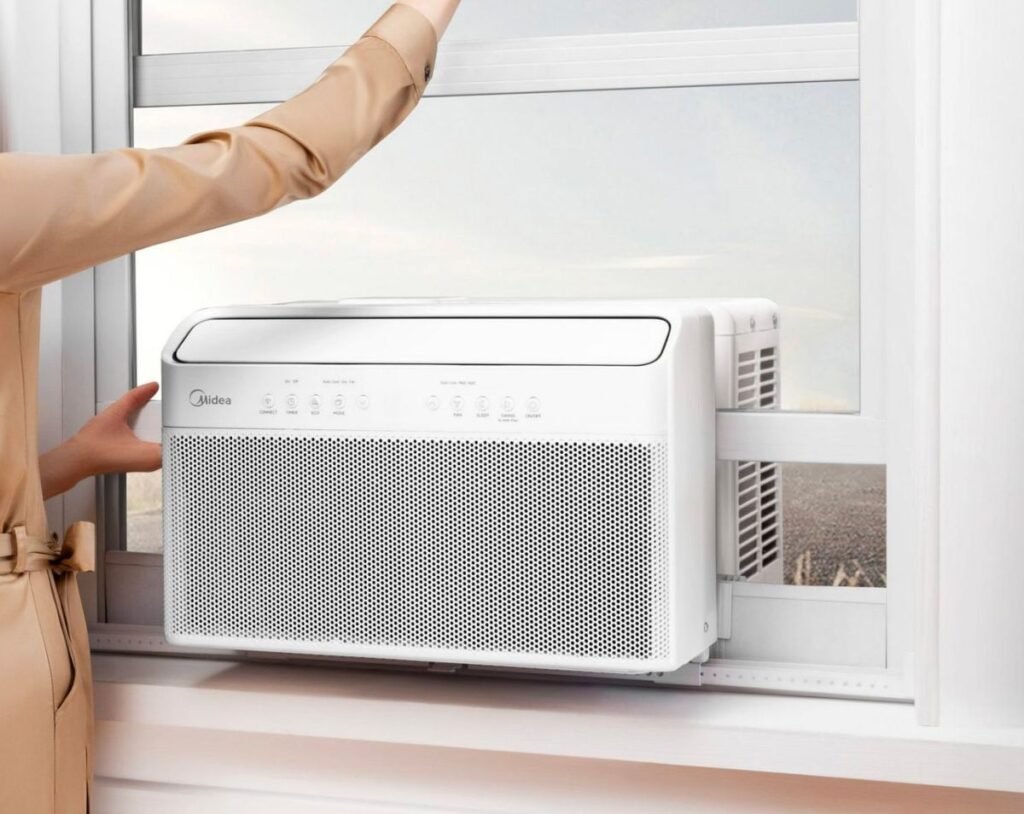
Common Window AC Error Codes and What They Mean
Here’s a quick reference table for the most common error codes seen in window AC units:
| Error Code | Common Cause | DIY Fix |
|---|---|---|
| E1 | Indoor temperature sensor fault | Reposition or replace sensor |
| E2 | Outdoor temperature sensor fault | Check/replace outdoor sensor |
| E3 | High pressure protection | Clean condenser coil, check airflow |
| E4 | Low pressure / refrigerant issue | Call a technician |
| F1 | Indoor coil sensor error | Clean coil, check sensor clip |
| F2 | Freeze protection activated | Clean filter, check for airflow blockage |
| H6 | Motor locked or fan fault | Clean fan, check for obstruction |
| P1 | Voltage protection | Check outlet and power supply |
Most of the DIY-fixable codes on this list are directly addressed by the 6 steps above. That is not accidental — it’s precisely why routine maintenance is so important. For more detailed guides, error code breakdowns, and seasonal tips, visit Window AC Maintenance — a dedicated resource for keeping your unit running at its best year-round.
How to Store Your Window AC at Season’s End
If you live somewhere with cold winters, proper storage protects your investment.
- Run the unit on “fan only” mode for 30 minutes to dry out internal moisture.
- Clean the filter one final time.
- Unplug it and carefully remove it from the window.
- Wrap the unit in a breathable cloth cover (not plastic — plastic traps moisture).
- Store in a dry, upright position — never on its side or upside down.
- If the unit will stay in the window over winter, use an outdoor AC cover to protect the condenser side from snow and ice.
Frequently Asked Questions About Window AC Cleaning and Maintenance
Q: How frequently do I need to deep clean my window AC unit? A deep clean (all 6 steps) should occur at least once a year — ideally at the beginning of the cooling season. Filter cleaning should happen every 2–4 weeks during active use.
Q: Can I use a pressure washer to clean the coils? No. Never use a pressure washer on AC coils. The fins are extremely delicate and bend easily under high pressure. Use a gentle spray bottle or a no-rinse coil cleaner instead.
Q: My AC is showing an error code right after cleaning. What’s wrong? Do a manual reset (unplug for 60 seconds). If the code returns, make sure the filter is completely dry and properly seated, all panels are fully closed, and no wires were accidentally disconnected during cleaning.
Q: Does cleaning actually fix error codes? Yes — for nearly all common codes, absolutely. Dirty parts lead to erroneous sensor readings, overheating motors, and control boards triggering protective shutdowns. Cleaning removes the root cause.
Q: How can I tell if my AC needs refrigerant instead of just a cleaning? Signs of low refrigerant include: the unit runs constantly but never cools the room, ice forms on the evaporator coil, and a hissing sound comes from the unit. These require a certified technician — you cannot add refrigerant yourself.
Q: Is it safe to clean the inside of a window AC myself? Yes, provided you unplug the unit before beginning. Avoid touching the capacitor directly — it can hold a charge even when unplugged. When unsure about any electrical component, call a professional.
Q: How long can a window AC unit last if properly maintained? A well-maintained window AC can last 10 to 15 years. Without maintenance, expect problems within 3 to 5 years.
Wrap-Up — Clean It, Cool It
Your window AC doesn’t need to be a mystery. Most error issues, strange sounds, and weak cooling trace right back to dirt and neglect.
This window AC cleaning & maintenance guide equips you with the step-by-step knowledge you need to deal with the most common issues — no special training required. Clean filters, clear coils, open drain lines, dust-free fans, solid electrical connections, and a proper post-cleaning performance test. That’s the whole formula.
Do this once a year, with filter cleanings in the interim, and your unit will reward you with years of reliable, energy-efficient cooling.
Don’t wait for an error code to tell you something is wrong. Stay ahead of it — and keep your cool all summer long.